How Sadie x Tripleseat Works: A Step-by-Step Guide
Hospitality

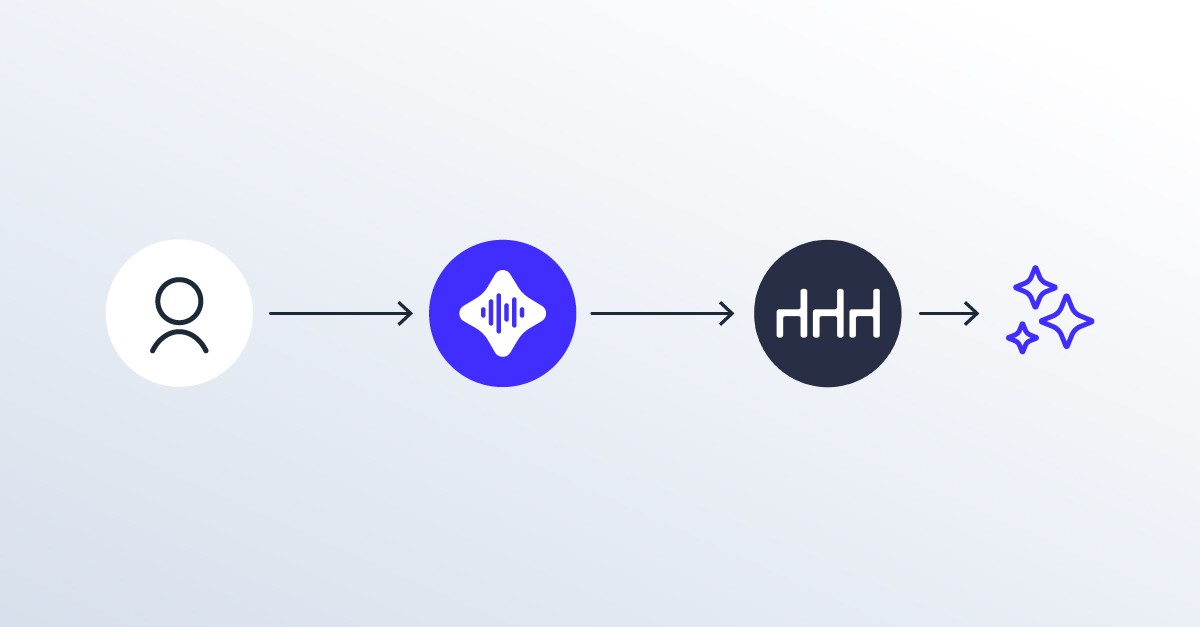
The complete walkthrough for restaurants ready to automate their private event lead capture
What Is the Sadie x Tripleseat Integration?
Sadie AI is an AI phone agent built for restaurants. Tripleseat is the leading platform for managing private events and group dining. Together, they solve one of the biggest gaps in restaurant operations: what happens when a private event inquiry comes in by phone and no one is available to take it or needs to be forwarded to the general manager, the restaurant is full and the call gets dropped or deprioritized.
The integration connects Sadie's voice AI directly to your Tripleseat account. When someone calls your restaurant asking about a private event, Sadie picks up, has a natural conversation, collects all the key details, and creates a fully qualified lead in Tripleseat automatically. No manual entry, no voicemail, no missed calls.
This works 24/7, including nights, weekends, holidays, and during your busiest services when your team can't get to the phone. Every inquiry gets captured and logged in the system your events team is already using, ready for follow up.
For restaurants already on Tripleseat, this means private event revenue that would have slipped through the cracks now gets captured and tracked from the first point of contact. For restaurants evaluating Sadie, this integration makes the value immediate: plug it in, and your private event pipeline starts filling itself.
Below is a full walkthrough of how the integration works, from the moment a guest calls to the lead landing in Tripleseat.
The Voice Flow — What Happens on Every Call
When a caller contacts your venue about a private event, Sadie takes over from the first ring. Here's exactly how that conversation plays out.
Step 1 — Sadie Answers
Sadie picks up within 2 rings, 24/7, and greets the caller on behalf of your venue. No hold music. No voicemail. No missed opportunities.
Step 2 — Intent Identified
Sadie listens to the caller's opening and identifies they're enquiring about a private event. The lead capture flow begins automatically.
Step 3 — Information Gathered
Through natural, back-and-forth conversation, Sadie collects everything your event team needs:
Event date (or a rough timeframe if they're still exploring)
Estimated guest count
Type of event — birthday, corporate dinner, wedding reception, cocktail hour, etc.
Caller name, email address, and phone number
This doesn't feel like a form. Sadie adapts based on what the caller says — the way a great events coordinator would.
Step 4 — Details Confirmed
Before logging anything, Sadie reads the details back to the caller to confirm accuracy. Clean data in, clean lead out.
Step 5 — Call Wrapped Up
Sadie thanks the caller, sets expectations for next steps, and offers to help with anything else.
What if the caller wants to speak to someone?
No problem. If a caller asks to speak with a person, gets frustrated, or asks something outside Sadie's scope — pricing, deposits, contracts — Sadie gracefully acknowledges the request, attempts a live transfer, and passes full context to your staff. The caller never has to repeat themselves.
What It Looks Like in Tripleseat
The moment the call ends, a fully structured lead lands in Tripleseat—no manual entry, no delays, and no chasing incomplete information.
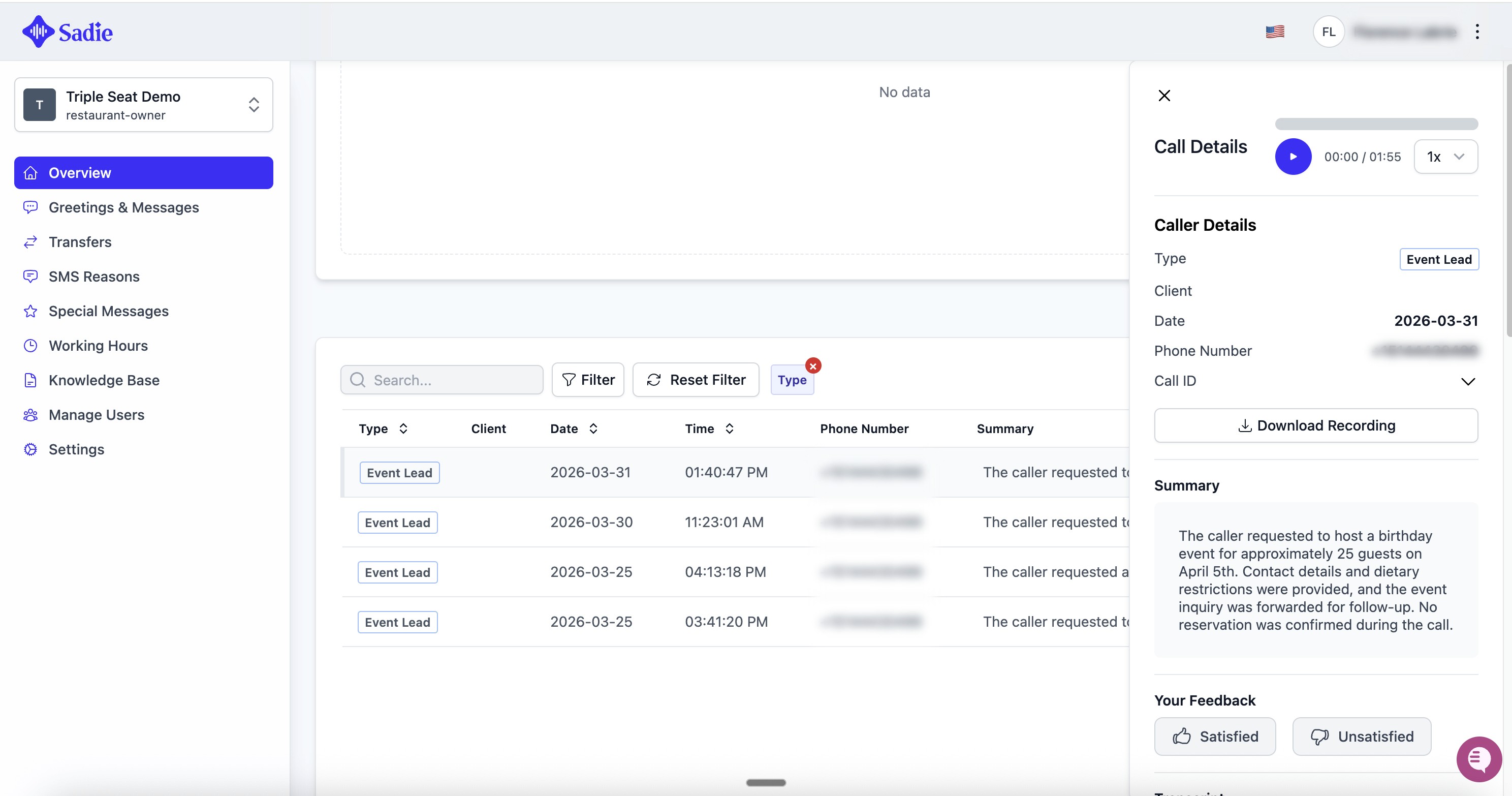
1. Someone calls in about a private event, and Sadie picks up. She asks all the right questions—date, guest count, event type, and contact details.
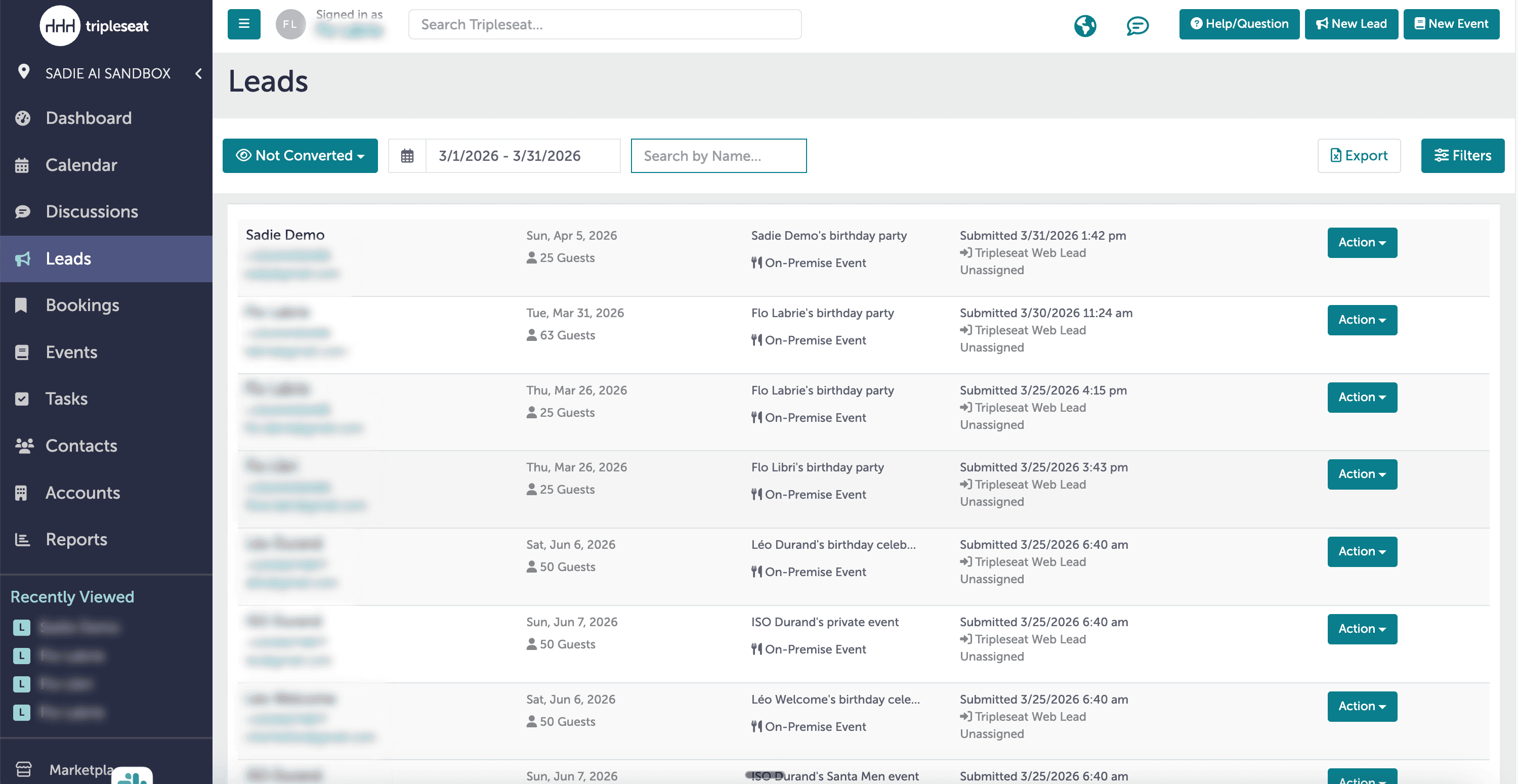
2. Just like that, a fully qualified lead is automatically created in Tripleseat.
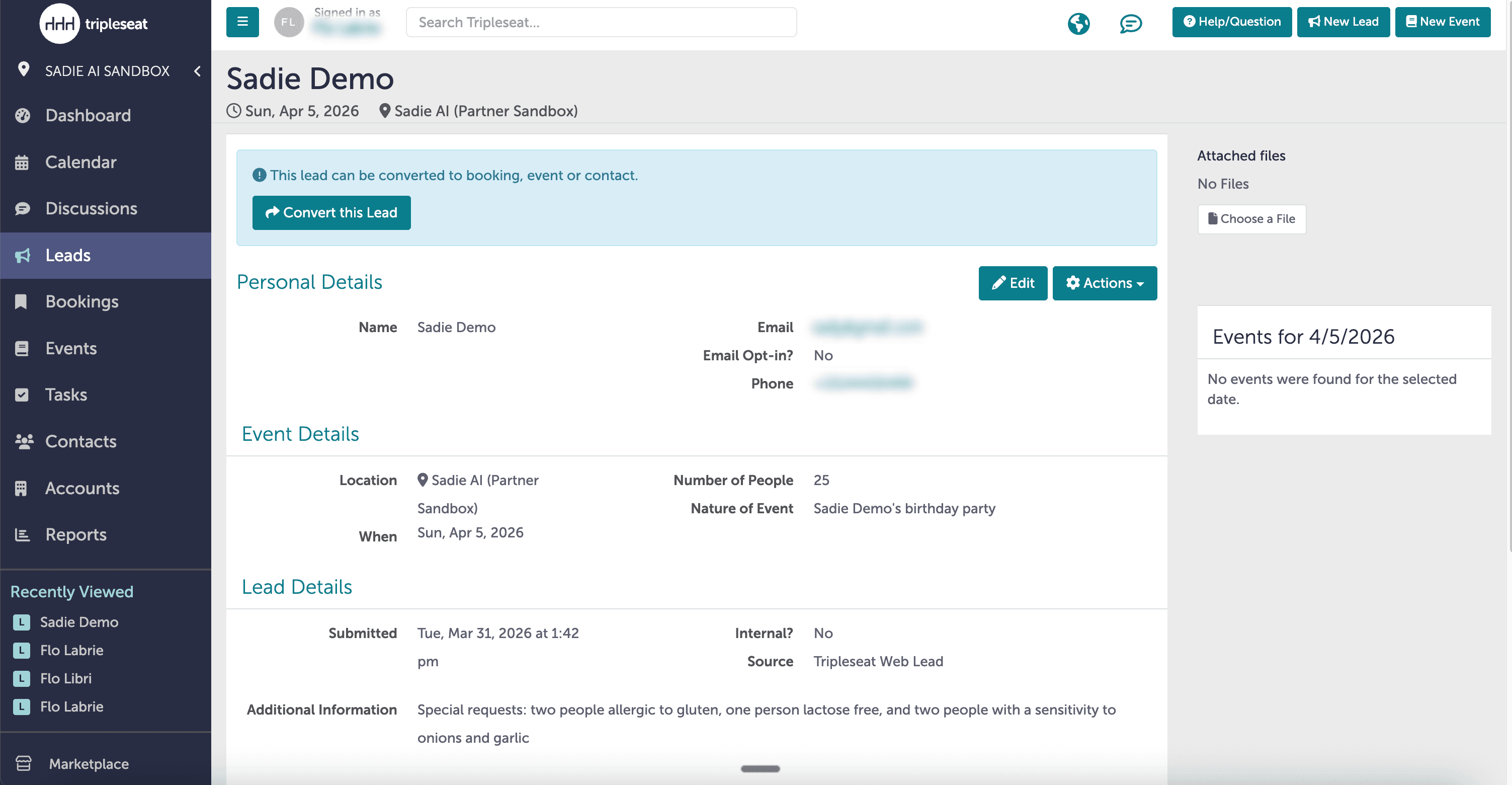
3. Your event team is notified right away, so they can follow up within minutes.
Your event manager receives an instant notification the moment the lead is created, so follow-up can happen in minutes, not days.
Leads are automatically tagged, making them easy to filter in Tripleseat. This allows your team to track volume, conversion rates, and revenue directly attributable to Sadie over time.
Onboarding — All You Need Is Your Username and Password!
No IT team. No lengthy onboarding call. No integration fees. Setup takes less than 5 minutes and all you need is your Tripleseat login credentials connect through sadie and you are good to go!
Ready to Go?
If you're already a Sadie customer, head to Settings → Add-ons Settings and connect Tripleseat now. It takes less than 5 minutes.
Not on Sadie yet? Book a demo → and we'll show you the full integration live.